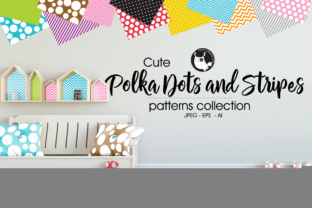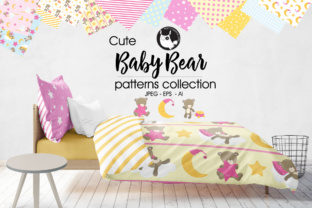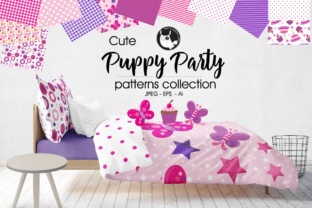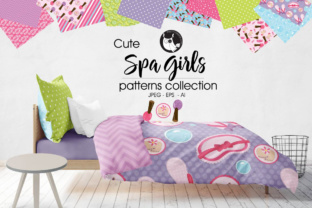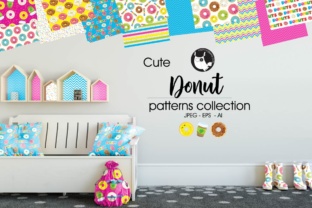
Donut: Super Cute Pattern Background Design
Donut isn’t just a treat—it’s a playful, high-quality pattern background design made for creators who want charm, clarity, and versatility in one package. Think of it as a ready-to-use visual toolkit: cheerful, cohesive, and crafted with care. Whether you're designing a birthday card, refreshing your blog’s sidebar, or branding a small-batch bakery, Donut delivers that “aww-worthy” aesthetic—without the time-consuming design work.
What Makes This Pattern Design So Useful?
At its core, Donut is a set of graphic elements built around joyful, hand-drawn donut motifs—sprinkles, glazes, cherries, and soft pastel rings—all arranged into seamless, repeatable patterns. These aren’t clipart-style graphics. They’re designed with intention: balanced spacing, consistent line weight, and harmonious color palettes that feel warm but never overwhelming.
Each element works beautifully on its own or layered together. You’ll get clean vector files (EPS and .ai) so you can scale without blur or pixelation—ideal for everything from social media banners to large-format prints. And because every graphic is also saved individually as a 300DPI JPEG, you can drop them straight into Canva, PowerPoint, or email newsletters without wrestling with software compatibility.
Who Benefits Most From Donut?
This design set fits naturally into many everyday workflows:
- Bloggers and content creators use the patterns as subtle website backgrounds or custom post dividers—adding personality without distracting from text.
- Small business owners, especially in food, wellness, or lifestyle niches, apply Donut graphics to packaging labels, digital coupons, or Instagram story templates.
- Educators and homeschoolers print the individual donut icons as reward stickers or classroom decor—crisp, colorful, and kid-friendly.
- Freelancers and designers build faster mockups by dropping scalable vectors into client presentations—or tweak colors in Illustrator to match brand guidelines in minutes.
- Hobbyists and crafters import the JPEGs into Cricut Design Space or Silhouette Studio for custom vinyl decals, greeting cards, or fabric transfers.
No design degree needed. If you’ve ever spent 20 minutes searching for “cute food pattern PNG” only to find low-res, watermark-covered files—you’ll appreciate how thoughtfully this set is packaged.
Real-Life Uses That Just Work
Here are a few simple, realistic examples:
- You run a local coffee shop and want to update your monthly newsletter. Use one of the seamless Donut patterns as a light background behind your menu highlights—soft enough to keep text readable, sweet enough to reflect your vibe.
- You’re making a printable planner for your Etsy shop. Insert the individual donut icons as section headers (e.g., “Snack Break” or “Sweet Ideas”)—they add visual rhythm without looking childish.
- Your student group is hosting a bake sale fundraiser. Print the EPS file onto A4 sticker paper, cut out the icons, and stick them on reusable tote bags or thank-you cards.
- You’re building a Notion dashboard for personal goals. Paste the JPEGs next to habit trackers—small touches like this make digital spaces feel more inviting and human.
None of these require advanced tools or hours of learning. The value lies in what’s already done well: alignment, contrast, scalability, and emotional tone.
What to Keep in Mind Before Using Donut
While Donut is flexible, it helps to know a few practical details upfront:
- It’s not a font or plugin—it’s a collection of static graphics. You won’t type with donuts (though you could pair it with a friendly sans-serif like Nunito or Quicksand).
- Color customization is easy in Illustrator, but the JPEGs come pre-colored. If you need monochrome versions or alternate palettes, open the .ai file and adjust swatches—no redrawing required.
- Patterns are seamless but not infinite. They tile cleanly, but extremely large formats (like wall murals) may need slight manual repetition in your layout software—just drag and duplicate.
- Licensing is for personal and commercial use, including client projects—but not for reselling the files themselves as standalone assets or templates.
- It pairs best with clean layouts. Since Donut has personality, balance it with generous white space, legible fonts, and minimal competing visuals.
Why Quality Matters More Than You Think
A “cute” background might seem simple—but poor execution shows up fast. Blurry edges, inconsistent sizing, or clashing colors break trust before someone reads your first sentence. Donut avoids those pitfalls by delivering true vector precision and intentional design choices. That means:
- Your printed flyers look polished—not “designed on a phone at midnight.”
- Your social posts stand out in a crowded feed without relying on loud filters or overused trends.
- You spend less time fixing technical issues and more time sharing ideas, launching products, or connecting with your audience.
That quiet confidence—the kind that comes from knowing your visuals support your message instead of undermining it—is where Donut quietly shines.
A Thoughtful Starting Point
If you’re new to using pattern backgrounds or vector assets, Donut is a gentle, joyful entry point. You don’t need to master Illustrator to benefit—start by opening one JPEG in your favorite editor and resizing it to fit a header. Try changing the opacity to 15% for a whisper of texture. Then explore the EPS file in a free vector viewer (like Inkscape) to see how paths and layers are organized.
What makes Donut special isn’t just how it looks—it’s how it fits into real life. It supports creativity without demanding perfection. It adds warmth without sacrificing professionalism. And whether you're sending a heartfelt email or launching your first product line, it helps your work feel more like *you*—thoughtful, approachable, and full of quiet delight.